AI Infrastructure for Modern DevOps: Platform Engineer Guide

AI infrastructure is the unified stack of hardware and software parts required to train, deploy, and manage machine learning models at scale. For DevOps teams, this includes more than GPU access. It needs container orchestration, data locality management, and auto scaling to handle intelligent apps. According to academic research, Kubernetes provides the main tools for keeping and healing the containerized microservices that power these AI workloads. True AI-native infrastructure adds these features directly into the control plane rather than as external layers. Central fleet management and automated day-2 operations reduce the work of running large-scale clusters. This approach keeps the security of an agent-based pull architecture. This foundation ensures that intelligent apps remain fast and strong throughout their life.
What Is AI Infrastructure? (The Platform Engineer's Definition)
Most vendors define AI infrastructure as a list of parts: GPUs, TPUs, and fast storage. But for a platform engineer, Kubernetes gives you the tools to turn these parts into a working system. True ai infrastructure is the full stack that lets you set up, grow, and fix models across many clusters. It is not just about having chips; it is about how you manage them at scale.
The role of orchestration
In a modern stack, the orchestration layer acts as the brain. While hardware gives the power, Kubernetes hides the hard parts of managing small services and AI tasks. This layer handles GPU tasks and where data stays. For teams managing ten or more clusters, a single view for fleet management is a core part of the stack. Without it, your team spends more time fixing nodes than training models.
Beyond the hardware stack
Red Hat often describes a stack with three models: bare metal, VMs, and containers. For platform teams, the container layer is where the real work happens. This is where you set up fast networking and storage tools that help models load fast. It also includes the tools needed for many users to share one system. AI infrastructure must be AI-native from the start, using tools like GitHub Actions to manage new types of smart apps.
Compute and storage needs
AI tasks need special plans to use GPUs well. You need plugins that tell the cluster how to talk to the hardware. Storage also changes when you work with large model files. You need fast local access so that nodes do not wait for data. Modern ai infrastructure uses tools to ensure data stays close to the compute nodes. This setup reduces lag and makes your whole fleet run much faster.
The Core Components of AI Infrastructure
Building a stack for AI models is about more than just buying chips. While vendors often focus on hardware, platform engineers must look at how these pieces fit into a larger system. To run AI at scale, you need a single pane of glass for Kubernetes fleet management that can handle specific needs like GPU node pools and low-latency storage. These systems work together to turn raw compute into a useful tool for your team.
Compute orchestration and GPU node pools
Compute is the most visible part of any AI stack. In a Kubernetes environment, this means managing nodes with specialized hardware like GPUs or TPUs. To use these tools well, teams use device plugins from vendors like NVIDIA. These plugins help the cluster find and use hardware features. You can also use taints and tolerations to make sure that only your AI workloads run on these expensive nodes. This keeps costs down while ensuring your models always have the power they need to run fast.
Modern MLOps tools also help by automatically generating infrastructure for complex analytic pipelines. This reduces the work for DevOps teams. Instead of manual setup, you can use templates to deploy compute resources across cloud or edge layers. This automation is a key part of moving from a simple test to a full production system. It allows you to scale up without adding more manual tasks for your staff.
Storage and networking for large models
AI models need to move huge amounts of data. This requires storage that can handle large weights and datasets. Using a Container Storage Interface (CSI) driver lets your cluster connect to fast volumes. For many AI tasks, you need volumes that support read-write-many access. This lets multiple pods read the same model data at once. Without this, your pods might wait for data, which wastes expensive compute time and slows down your whole pipeline.
Networking is just as vital. When you train models across many nodes, the speed of the network can become a bottleneck. High-bandwidth options like Cilium can help manage traffic. These tools provide a clear view of how data moves between your nodes. They also help keep your traffic safe and fast. By focusing on these low-level details, you ensure that your AI-infrastructure stays stable as your needs grow over time.
Pipeline management and observability
Once your hardware and data layers are set, you need a way to run and watch your apps. Tools like Kubeflow or MLflow run on top of Kubernetes to manage the full life cycle of a model. They help you track versions and manage deployments. This makes it easier to test new ideas and roll back if something goes wrong. Using these tools within your existing cluster means you can use the same CI/CD paths you already have for other apps.
Finally, you must watch how your system uses its resources. Monitoring tools like Prometheus and Grafana are great for tracking GPU use and memory. They give you a real-time look at your cluster health. This helps you find and fix issues before they cause downtime. Since Kubernetes hides the complexity of microservices, having good charts is the only way to see what is really happening inside your fleet. It lets you prove the value of your stack to the rest of your firm.
Why Most AI Infrastructure Definitions Miss Kubernetes
Many tech giants define AI infrastructure as a list of hardware parts. They focus on GPUs, high-speed cables, and large memory pools. This view treats a cluster like a fixed server rack. But a pile of chips is not a working platform. It needs a layer to manage how workloads run and scale. Most common views skip this layer fully. They miss the software that turns raw chips into a useful tool.
The hardware-first trap
Big vendors often sell AI as a hardware shopping list. They talk about which GPU to buy or how much RAM you need. This is helpful for building a single server. But it fails when you need to manage ten or more clusters. Many ways exist to set up Kubernetes, from DIY builds to managed cloud tools. One study notes that managing clusters requires choosing from several Kubernetes deployment methods as teams scale. A hardware-only plan does not help with these choices.
When you focus only on chips, you miss day-2 tasks. These are the jobs that keep a site running after it goes live. You must handle cluster updates and security patches. You also need to manage how different teams share the same GPUs. Without a clear plan for these steps, your hardware becomes a bottleneck. It sits idle while your team struggles to set up the software layer.
Orchestration as the real bottleneck
The real hard part of AI is not the chip. It is how you manage the lifecycle of a model. You need to know how new nodes join a cluster. You must roll out new models without any downtime. You also have to scale inference across many nodes at once. Standard hardware views do not solve these problems. They leave the hardest tasks to the platform team. This leads to slow deployments and high costs.
A true AI stack needs a single pane of glass for fleet management. This gives teams one place to see and control all their clusters. It helps them track GPU use and find errors fast. Without this view, teams must log into each cluster one by one. This waste of time slows down work. It also makes it hard to keep a steady environment for AI models to grow.
| Feature | Standard Vendor View | K8s-Native Approach |
|---|---|---|
| Compute focus | Fixed GPU count | Dynamic pod scheduling |
| Lifecycle | Manual host setup | Self-healing clusters |
| Deployment | Simple script runs | GitOps-based rollouts |
| Multi-tenancy | Host-level isolation | Namespace and RBAC |
| Tracking | Hardware health logs | Single pane of glass |
Moving beyond static chips
Modern teams move past the chip-first view. They use an agent-based pull architecture to manage their fleets. This method gets rid of central credential storage. It makes the system safer for air-gapped sites. It also allows teams to automate tasks across many clouds. This is a key part of an AI-native control plane.
Platform teams now look for AI that understands infrastructure to help them. This software handles the complex parts of the Kubernetes stack. It lets engineers focus on the models rather than the chips. By using the right orchestration layer, you turn a group of servers into a unified fleet. This fleet can scale as fast as your AI needs grow.
AI-Native vs. Bolted-On: What Changes with AI Infrastructure
Building a solid ai infrastructure is now a top goal for many tech teams. But not all setups are the same. Many firms try to bolt AI tools onto old systems. They add GPU nodes to clusters that were not built for them. They use small scripts to move models around. This leads to siloed tools and manual work that is hard to scale.
The limits of bolted-on tools
A bolted-on setup often lacks a clear view of the whole fleet. Teams have to install device plugins by hand for each cluster. They often manage model updates through separate paths that do not talk to the main flow. This makes it hard to track what is running where. It also adds risk when you need to scale up fast.
These older ways often rely on central stores for cluster secrets. In a large firm, this creates a big target for hacks. It also makes it hard to run apps in sites with no internet. Most teams want to use well known CI/CD steps like GitHub Actions to manage these new smart apps. But bolted-on tools often break those patterns.
The AI-native difference
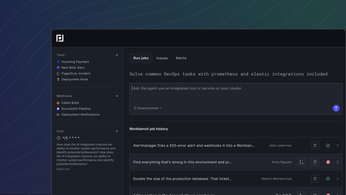
An AI-native path is different. It uses a single dashboard to look at both the stack and the AI workloads. This helps you see how GPUs are being used in real time. Plural uses an AI-native agent runtime to make this easy. Instead of pushing changes, our system pulls them. This matches how 2025 became the year AI came to DevOps for many of our users.
This way of working lets you treat AI tasks just like any other app. You can use GitOps to deploy models and tools. The system can then scale and heal itself without a person in the loop. This saves time and keeps your apps running well. It also means you do not have to learn a whole new set of tools for every AI project.
Better security with agent-based pull
Security is a huge part of any AI stack. Plural uses an agent-based pull design. This means we do not keep cluster keys in one central place. It is a safer way to manage your fleet. It also lets you run in air-gapped sites where security needs are very high. This makes it a great fit for banks and health firms.
With this setup, each cluster acts as its own smart unit. It pulls the plans it needs and runs them on its own. This cuts down on the chatter between sites. It also makes your ai infrastructure more robust. You get one screen to watch over all your clusters, no matter where they are. This helps you ship fast while keeping your data safe.
How to Build AI Infrastructure That Truly Works for DevOps
Building a solid stack for AI is more than just buying GPUs. Most teams find that the hard part is not the hardware. The real challenge is making the software work with your current tools. You need a setup that scales without breaking your daily work. To succeed, you must treat your AI tools like any other app in your cluster. This means using common patterns that your DevOps team already knows.
Building Better Clusters and Picking Runtimes
A good plan starts with how you set up your nodes. You must pick a Kubernetes setup method that fits your needs. Some teams use DIY tools while others choose managed services like Amazon EKS. Once you have a cluster, create clear node pools for your GPUs. Use taints and tolerations to keep other apps off these nodes. This ensures your models have the power they need. Node affinity also helps by placing AI tasks on the right hardware every time.
Next, you must pick a runtime for your models. Tools like Ollama or vLLM help you serve models in your own cluster. These runtimes handle the heavy work of talking to the GPU. Choosing the right one depends on your speed needs and model size. Many teams find success by self-hosting LLMs on Kubernetes. This keeps your data private and helps you avoid high cloud costs. It also gives you full control over how your models run.
Five Steps to Better AI Infrastructure
- Set up your node pools. Use taints to group your GPU nodes to keep your cluster clean and save money.
- Choose a model server. Use a runtime like vLLM or NVIDIA NIM to manage the link between your code and the hardware.
- Use GitOps for your models. Tools like Helm or Flux make your changes safe and easy to track over time.
- Add deep monitoring. Track GPU metrics and model speed to catch problems before they grow.
- Automate your day-2 work. Plan for upgrades early to save hours of boring manual work.
Mastering Fleet Handling at Scale
As your project grows, you will likely manage 10 or more clusters. Running AI-native fleet management at this scale is a big task. Many teams struggle with day-2 jobs like patching and security. These tasks often take months to finish when you do them by hand. This delay makes it hard to use new AI features and keeps your clusters at risk.
Modern tools solve these problems with better simple workflows. For example, Plural can turn a three-month upgrade cycle into a single day. This speed lets your DevOps team focus on building new things instead of fixing old servers. By planning for scale early, you ensure your AI stack stays fast and secure. This approach turns your infrastructure into a help rather than a hurdle for your team.
Why AI Projects Fail (and How Infrastructure Choices Change That)
Most AI projects never reach the user. While teams often blame data or models, the real cause is a weak ai infrastructure base. Running AI at scale is hard. It needs more than fast chips. It needs a plan to handle complex tech, hardware blocks, and the lack of clear ways to grow smart apps across many clusters.
Solving the complexity gap
Infrastructure for AI is tough because it mixes big compute needs with many software layers. Teams often find AI-native fleet management hard when they have ten or more clusters to track. Kubernetes helps here by hiding the complexity of how apps work and giving tools to fix and scale them as they grow.
Projects also fail when teams cannot repeat their results. Without a clear plan for GitOps and automation, small changes can break the whole stack. Using an MLOps tool to build infrastructure and set up pipelines helps teams move fast. This keeps their work stable across edge and cloud layers.
Escaping vendor lock-in
Many firms get stuck in closed stacks that are hard to leave. A smart plan for AI uses a mix of paid tools and open-source models to avoid lock-in. This gives engineers the room to move work as costs or needs change. They can do this without having to rewrite all their code.
Modern teams win by using tools they know, like GitHub Actions and Kubernetes, to manage new intelligent apps. When you build on one main console, you lower the load on your team. This shifts the focus from fixing servers to shipping better models. That is how you turn a failing AI project into a win.
Frequently Asked Questions
What is the difference between AI infrastructure and IT infrastructure?
Standard IT systems support common apps like web servers. AI infrastructure is a custom stack made for heavy work. It puts high-speed chips and fast networks first to handle model training. While standard IT focuses on uptime, AI needs tools to manage data and hardware. According to researchers at PMC, these tools help by handling scaling and healing for the whole system.
What are the five levels of AI infrastructure?
AI infrastructure grows from simple hardware to smart tools. Level one starts with basic chips for easy tasks. Level two adds fast hardware like GPUs for deep learning. Level three uses Kubernetes to manage these tools in containers. Level four focuses on speed through better scheduling and scaling. Last, level five is AI-native. At this stage, the system uses one control plane to handle work across many clusters.
Does AI-native orchestration require specialized hardware?
The tools used to manage AI do not need special hardware, but they are built to run it. While AI work often needs GPUs or TPUs to run well, AI-native platforms like Plural work with standard Kubernetes. These systems use a smart pull setup to manage tools across any cloud or data center. This lets teams deploy AI apps on current clusters while handling the complex work needed for fast hardware.
How do platform engineers reduce vendor lock-in for AI workloads?
To avoid being stuck with one vendor, teams should use both managed services and open-source models. Experts at Cornell say a good plan uses simple tools to keep control of the tech stack. Using one control plane lets teams move work between different clouds or their own servers. This makes sure the system can move as new models and hardware come to market.
How do I manage Kubernetes fleets for AI at scale?
Running many Kubernetes clusters for AI needs one tool to see it all. When teams grow to ten or more clusters, they often struggle with daily tasks and updates. Using a self-hosted control plane with a smart pull setup removes the need for one main password store. This makes security better for large firms. It lets teams handle their work while keeping all data and tools in their own secure space.
Ready to automate your Kubernetes fleet management?
Running a modern DevOps stack on Kubernetes is hard. Without the right AI tools, your platform team will spend too much time on manual fleet updates and scaling tasks. This slow pace makes it hard to ship new features and keeps your costs high. You can avoid these delays by moving to a unified control plane that handles the hard work for you. Most teams find that starting early helps them cut down on day-2 work and gives them a clear path to scale. Do not let manual tasks hold your team back from building what matters. Taking action now will give your engineers the time they need to focus on core product goals instead of fixing clusters.
Ready to request your access? Try Plural free with a 14-day sandbox to simplify your Kubernetes operations today.

Newsletter
Join the newsletter to receive the latest updates in your inbox.